NOTE: Electronic service and physically serving someone court documents are two different things. Electronic service instructs the e-File system to email that individual the documents you are filing, while physical service involves instructing the court to either mail the documents to an individual or to send a process server, a constable, or a sheriff or sheriff's deputy to physically hand the legal documents to an individual.
You can do either one via the e-Filing system, as long as the court has made both options available to you via the site. The instructions above are for electronic service (e-service) only. For more information on either option. please refer to the following help articles:
- Electronic Service (e-Service): How Can I Submit a Service Only Filing? (Electronic Service)
- Physical Service: Where Can I Add More Fees Before Submission?
- EFile Only (EFO): your filing is only being e-filed to the court.
- EFile And Serve (EFS): your filing will be e-filed to the court as well as being served electronically to those on the service contact list.
- Serve Only (SO): your filing will only be electronically served to those on the service contact list.
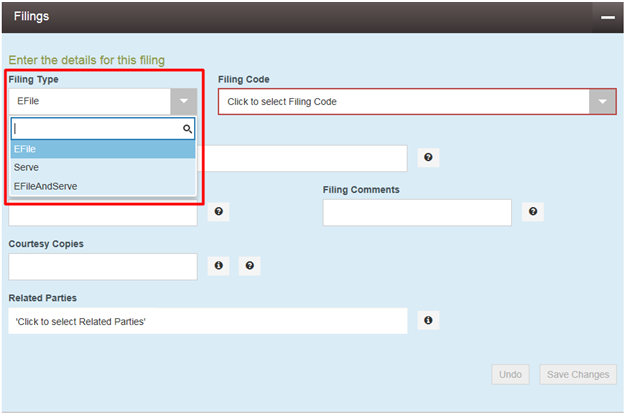
Notes:
- When starting new cases, some courts will only offer the option of EFile. This option is configured by each court.
- Choosing the Filing code option Service Only will change the Filing Type to Serve only.
- If the Serve Only filing type is not available when filing into an existing case, we recommend reaching out to the court for further assistance on how to perform e-service.